Klaviyo's Flow Audit AI vs the One I Built
Klaviyo built an AI that audits your flows. It reads every one, pulls the numbers, compares you to similar brands, and hands back a list of what is wrong. The pitch is that it does in an hour what used to take a person a day.
I ran it on an account with close to 60 live flows, next to the audit I have built over the past year. It is good. Better than I expected. It also stops at the exact point the real work starts.
The rest of this is where it helped, and where I had to take over.
What It Caught
Start with what it got right, because it is a lot.
It read 30 days of numbers for every email inside every flow, not just the flow-level totals, and scored each one against a peer group of similar brands rather than a figure from a blog post. It found a flow that was broken, where every customer was sliding past the real emails into a dead end. It caught 5 emails in one sequence sharing a single subject line. It flagged a discount that changed halfway through a series and a tracking tag that was never valid. It marked where flows overlap. It even named the flows that were missing.
If your flow review today is opening each one and skimming the copy, this replaces that, and it does it better than you can by hand.
So the honest question is not whether it helps. It is what an audit needs that a read of the flows does not give you.
Where It Stopped
It told me one flow was sending every customer down the wrong path, past the real emails to a dead end. It was right. Then it told me to go check the field the flow was sorting on.
That is where it stopped, and where I started.
I opened the account’s real orders and read them. The flow was sorting people by a field that comes through empty on every order, while the value it needed had been sitting in a different field the whole time. The tool saw the symptom. Finding the fix meant reading the raw data myself.
It points at the problem well. It does not always know the answer.
What a Flow Costs You
Composer shows you what a flow earns. The number I start from is what it costs.
Every time a flow sends, a few people unsubscribe or mark it as spam. They are gone for good. So a flow can bring in sales and still lose you money, because it is spending customers you already had to win a handful of new orders.
When I score a flow, I read its revenue next to how many subscribers it burned through. Some of the flows that look like winners are losing money once you count that.
It is also why I rank flows by what they earn per person, not by how big their audience is. The flow with the most subscribers is rarely the best one. The smallest flow in the account is often the one earning the most per person.
When Two Flows Reach the Same Person
The first thing I map is overlap.
A first-time buyer can set off a thank-you series, a cross-sell, a review request, and a survey on the same order, all firing in the same few days, none of them aware of the others. The customer gets 4 emails where one was the plan.
Composer marks these clashes and tells you to make sure only one flow runs per entry point. Finding them is the quick part. The work is deciding which flow gets the customer, which duplicate gets switched off, and how the rest take turns.
That call is mine to make, not the tool’s.
Mapping the Whole Account
I sort every flow by where it sits in the customer’s lifecycle: 9 groups, from the first welcome through to winback and the occasion sends. Laid out that way, the gaps show themselves. The stages crowded with flows, and the ones sitting empty.
Most accounts are busy before the first purchase and thin after it. Plenty of welcome and cart emails, little for the second order or a winback timed to when people actually reorder rather than a round 90 days.
Composer will point out the gaps too, and it will draft a flow to fill one. What it leaves to you is the judgment: whether the gap is worth filling at all, and whether the draft is good enough to go live. It drafts, and it names the problem. Deciding and publishing stay on your side of the line.
Putting the Fixes in Order
A list of problems is not a plan.
The last step is sequencing. Three things set the order: what a flow earns, what it costs the list, and how long the fix takes. A flow burning the list that takes an afternoon to repair goes to the top. A nice-to-have nobody asked for goes to the bottom.
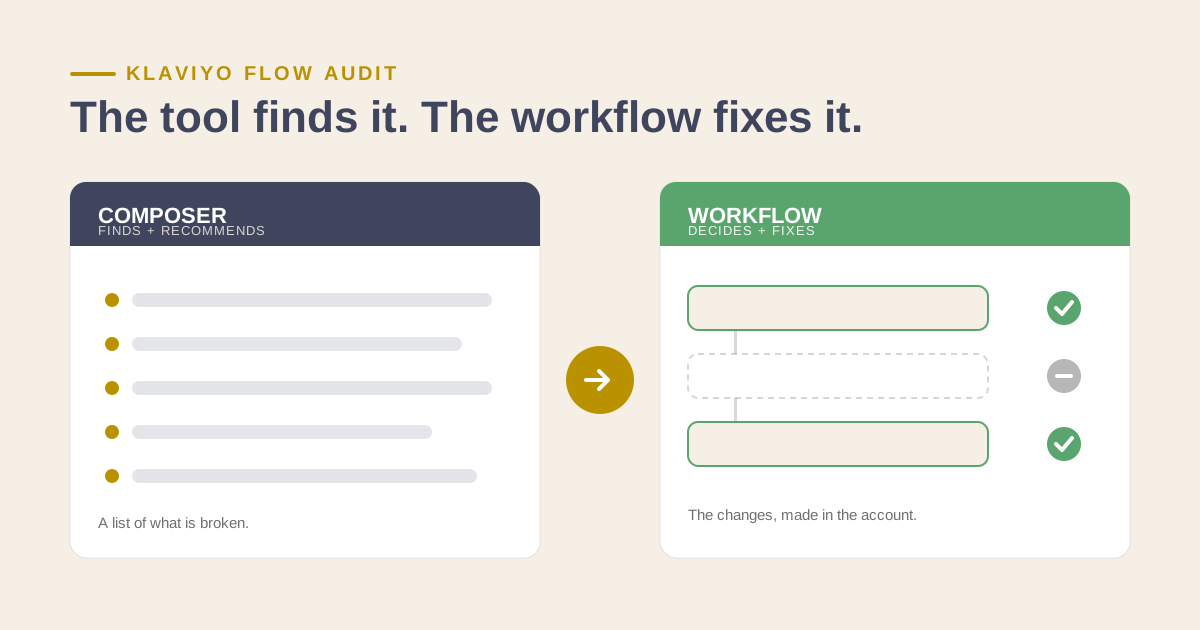
Composer suggests fixes in the order it thinks will help most. My audit ranks them by what they are worth once cost and effort are in the math, and then it makes the changes. Connected to the account, it can switch off the duplicate, remap the broken flow, and shorten the one losing money, each change waiting for a yes before it goes live.
Composer writes the list. The workflow works through it.
How to Run a Klaviyo Flow Performance Audit
Start with 30 days of numbers for every email inside every flow, read message by message, and compare each one against a peer group of similar brands. Composer now does this first pass in about an hour. Then score every flow the same way:
- Revenue against list cost. Read what each flow earns next to the unsubscribes and spam complaints it causes.
- Revenue per person. Rank flows by what each one earns per person. The smallest flow often earns the most.
- Overlap. Find every order that sets off 2 or more flows, and decide which flow gets the customer.
- Gaps. Sort flows by lifecycle stage and look for the empty stages, usually after the first purchase.
Then put the fixes in order by what each one earns, what it costs the list, and how long it takes.
What Turns Up Almost Every Time
The same handful of things show up in nearly every account. This is not carelessness. Flows get added one at a time, for a new product or a new integration, and never get read as a whole.
- Emails added where fewer would do better. The first email converts, the last ones earn almost nothing while collecting the unsubscribes.
- Copy checked, buttons never clicked. High opens, almost no clicks: the button is broken, the code expired, or it vanishes on mobile.
- Strong clicks, no sales. An email people open and click that converts almost no one. The leak is past the email: a slow landing page, a code that fails at checkout, a product out of stock. It reads as a healthy email on opens and clicks, so it rarely makes the fix list, even though it is often the most expensive leak in the account.
- Revenue watched, list cost ignored. A flow called a winner because it makes money, when the unsubscribes make it a loss.
- SMS run as a separate program. Email and SMS planned apart, so the flows that clearly want a text version never get one.
- Flows competing instead of taking turns. Several flows firing on one order and drowning each other out.
- New versions built without switching off the old. Two near-identical flows, years apart, both live, same audience.
- Big audience mistaken for a strong flow. The largest flow assumed to be the most important, when per person it is often the weakest.
None of these show up when you check one flow on its own. They surface when every flow is scored the same way and read next to its cost.
Two Tools, Two Jobs
Composer is a real step forward, and I will keep using it. It reads the flows, benchmarks the emails, and drafts fixes faster than any person can, on a schedule. The slow, mechanical part of an audit, the fetching and formatting that used to eat the better part of a day, now takes about an hour.
There is a difference between using AI and having an AI workflow. Composer is AI you use, one action at a time. It will draft a new flow or build a segment when you ask. What it will not do is reach into the flows you already have to reroute the broken branch, pause the dead emails, or retire the duplicate, the fixes an audit actually turns up. It will not publish, and it will not take the ranked list and work through it. A workflow does not hand that back. It reads the account, makes the call, and carries out the fix, one step feeding the next.
That is the line between the two audits. Composer tells you which flow is costing you money, which flow should get the customer two of them are fighting over, and what to fix first. The workflow goes and fixes it.
Composer and my audit run on the same AI. Klaviyo built Composer on its partnership with Anthropic, the company behind Claude, and the audit I run reaches the account through that same connection. The intelligence is identical. What differs is the wiring: Composer answers inside Klaviyo, and the workflow reaches across the account and acts.
The reading got faster. The judgment did not, and it is still the whole job.
If you would rather have it run on your account with you, book a strategy session and we will set it up together.