How to Personalize Every Email in Your Abandoned Cart, Checkout and Browse Flows
I’ve had Claude doing most of my email production for almost a year now. It designs the email in Figma for reference, builds it in Klaviyo, builds the flow, and sends me previews.
What changed recently is how the emails are built. I still use Klaviyo’s native blocks for text, but I’ve started using way more dynamic content, and that’s just easier when Claude builds it directly in HTML blocks inside Klaviyo.
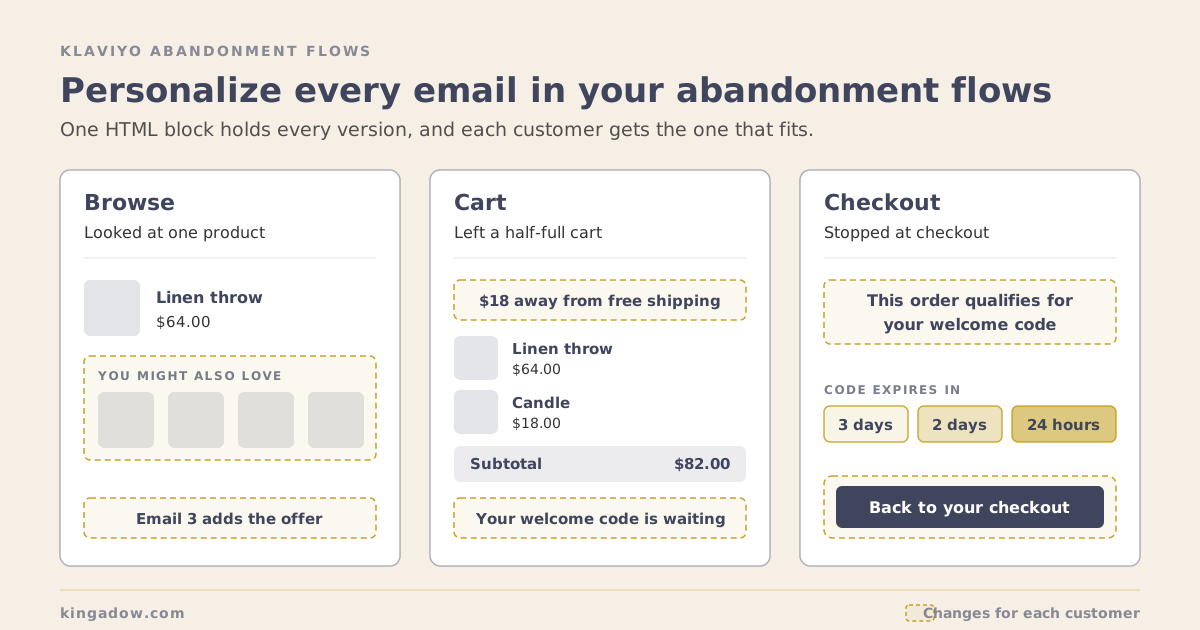
Abandonment flows are where this pays off most. Someone who looked at one product, someone with a half-full cart and someone who stopped at checkout all need something different. With a little logic in each email, every one of them gets the version that fits: their cart, their codes, their points, their store.
Below is how I set it up in browse abandonment, abandoned cart and abandoned checkout, with the code I use. All amounts in the examples are made up, so swap in your own.
What you need: Klaviyo’s Shopify integration for the events, coupons set up in Klaviyo for the single-use codes, and a product feed for the recommendations. The HTML block and the template tags are part of Klaviyo’s regular drag-and-drop editor, so there’s no special block or add-on involved.
Start with the data you already have
Every personalized version comes from first-party data that’s already sitting in Klaviyo. It comes in two kinds.
- Profile data. Standard fields like first name and location, plus custom properties your apps write to the profile: a welcome code and when it expires, a loyalty points balance, a loyalty tier.
- Event data. What the person just did. The Viewed Product event knows the product, its image, price and URL. Added to Cart and Checkout Started know the items and the cart total.
In a flow email you read profile data with person. and the triggering event with event.. That’s all the logic below needs.
Five blocks I use in every flow
These 5 show up in all 3 flows. Each one is Klaviyo’s regular HTML block from the drag-and-drop editor, with template tags inside that hold every version.
1. Free shipping, three ways
One shipping block, 3 versions:
- Over the threshold: “You’ve got free shipping.”
- Close to it: “You’re $18 away from free shipping,” worked out live from the cart.
- Well below it: a simple note that free shipping is available.
{% with total=event|lookup:'$value' %}
{% if total >= 100 %}
  You've got free shipping.
{% elif total >= 50 %}
  You're ${{ 100|floatsub:total|ceil|floatformat:0 }} away from free shipping.
{% else %}
  Free shipping on orders over $100.
{% endif %}
{% endwith %}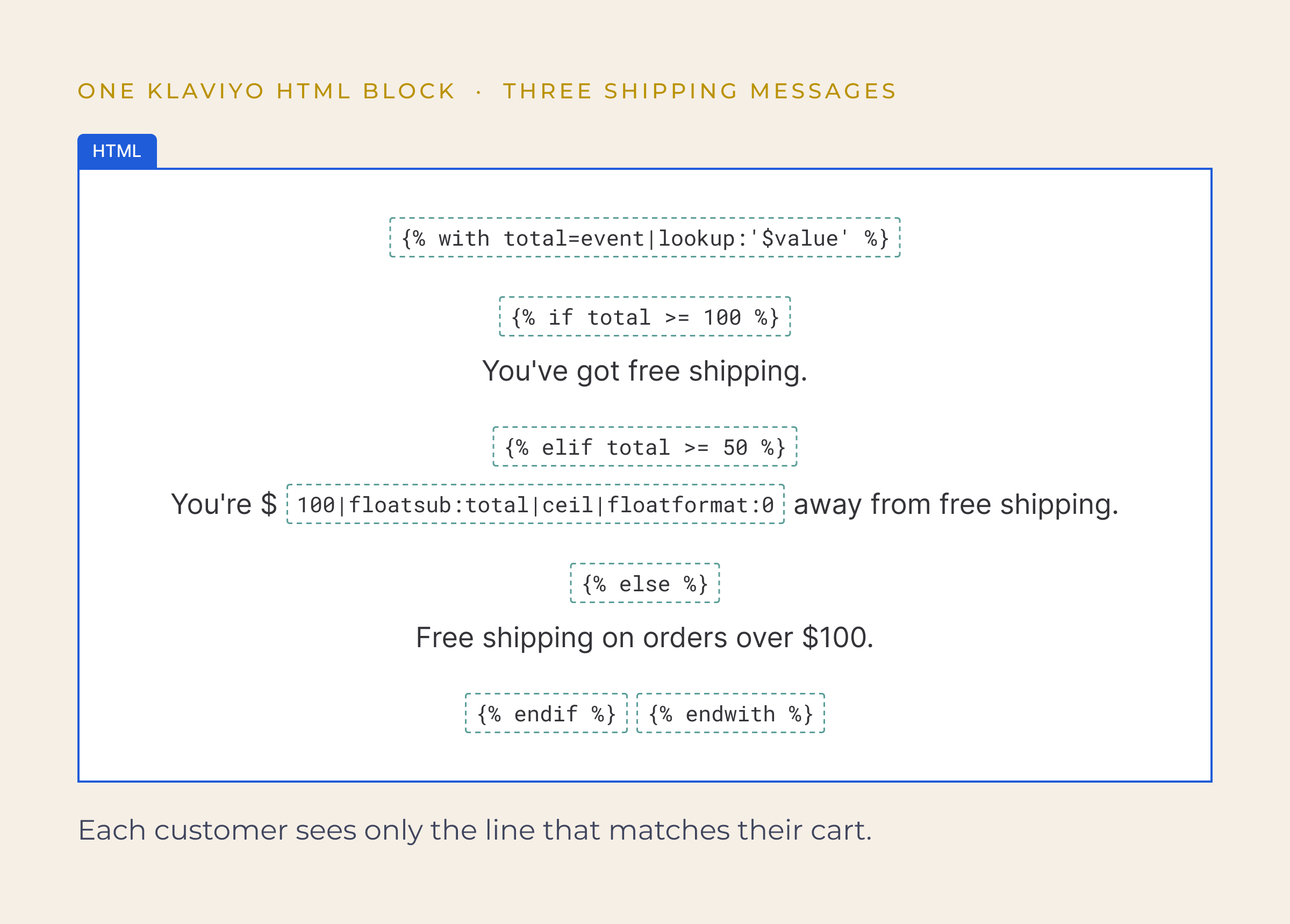
Why three and not two? Telling someone with a $20 cart they’re “$80 away” feels like a push. Below a certain point, a friendly reminder works better. Note the lookup:'$value': the cart total starts with a dollar sign, so you can’t read it with a dot.
2. Discount codes: one offer or the other
If someone still has a valid welcome code, the email reminds them of it. If their code has expired, or they never had one, they get a unique single-use code instead. Never both.
{% today '%Y-%m-%d' as now %}
{% if person.welcome_code and person.welcome_code_expires|slice:':10' >= now %}
  Your welcome code {{ person.welcome_code }} is still waiting for you.
{% else %}
  Here's a code just for you: {% coupon_code 'YOUR_COUPON_NAME' %}
{% endif %}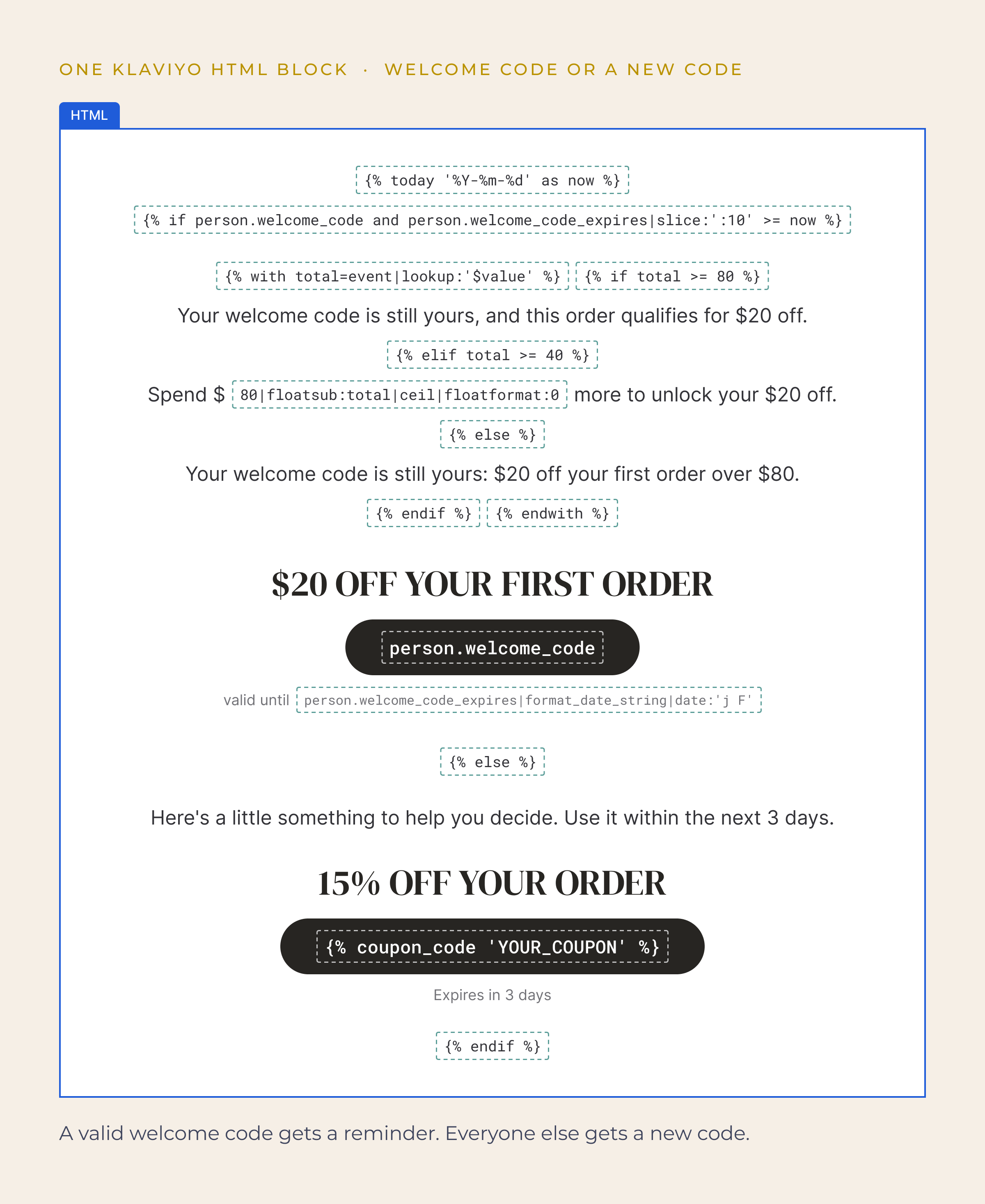
Check the expiry against today’s date. An expired code in an email is worse than no code at all. Use your pop-up tool’s property names: whatever writes the code to the profile usually writes its expiry date too.
3. Loyalty points
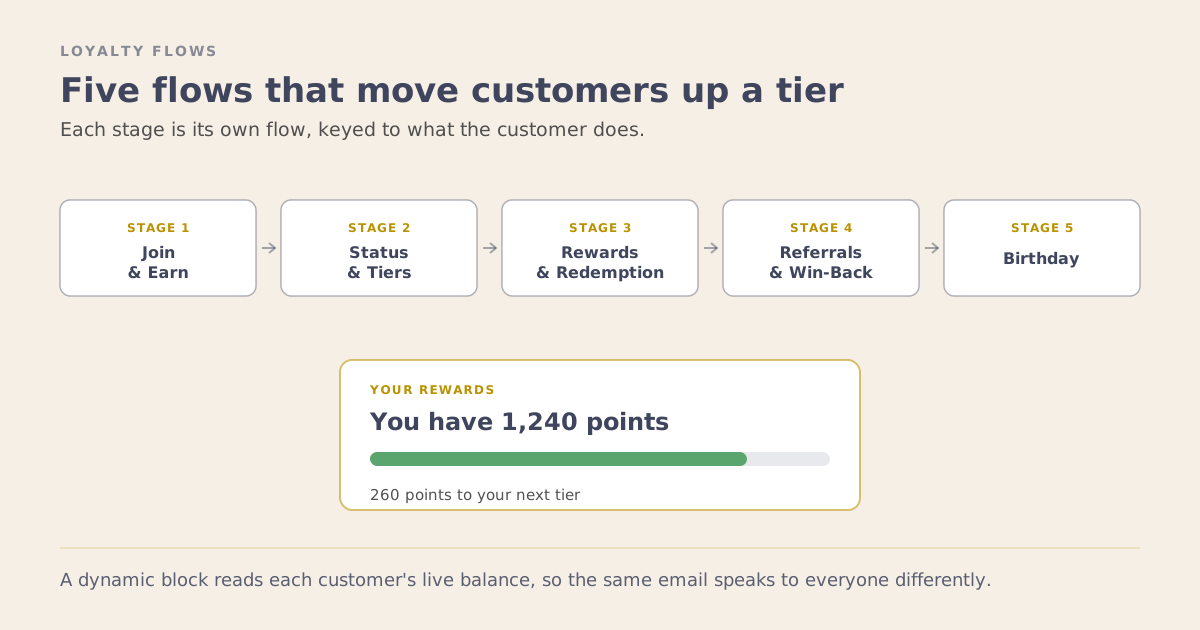
Members see their balance and how far they are from their next reward.
{% if person.loyalty_points and person.loyalty_points < 500 %}
  You have {{ person.loyalty_points|floatformat:0 }} points.
  Just {{ 500|floatsub:person.loyalty_points|floatformat:0 }} more to your next reward.
{% endif %}
Every loyalty app names this property differently, so open a real profile and copy the exact name.
4. One email, more than one store
If you sell in more than one market, prices, currency and links should match the store the person shopped in. In a browse email, the product URL from the Viewed Product event tells you which store that was.
{% if '/en-gb/' in event.URL %}£{% else %}${% endif %}{{ event.Price|floatformat:2 }}5. Sections that hide themselves
Wrap the whole section, heading included, in the same if that decides its content. If someone has no recommendations, there’s no “You Might Also Love” heading sitting over an empty space. For native blocks, Klaviyo’s Show/hide logic does the same job.
Browse abandonment
Browse abandonment is 3 emails, and the first two are all about the product.
- The product they viewed. Image, name, price and link come straight from the Viewed Product event. Check your event for the exact property names; with Shopify they’re usually
Name,ImageURL,URLandPrice. - Recommendations that change between emails. Email 1 shows 4 products from a recommendation feed. Email 2 shows the next 4, and falls back to the first 4 if the person doesn’t have enough recommendations.
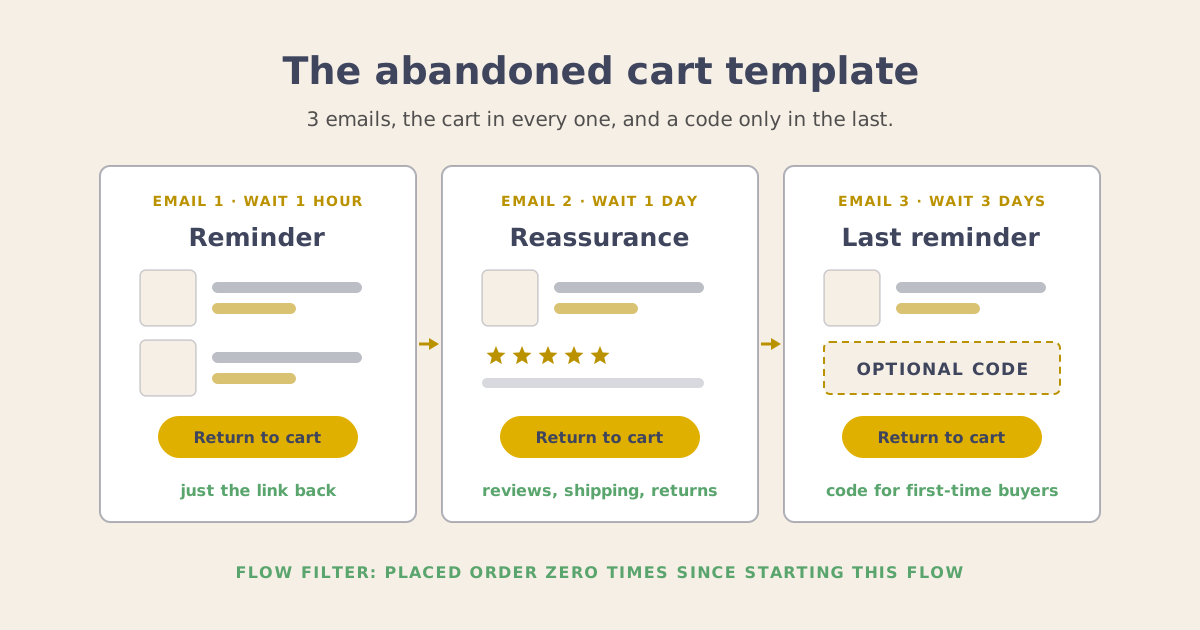
- The offer only in the last email. Browsing is early intent. Emails 1 and 2 sell the product, and email 3 brings in the discount logic from block 2.
The fallback for email 2 looks like this (index counts from 0):
{% if feeds.Browse_Recommendations|index:7 %}
  ...products 4 to 7...
{% elif feeds.Browse_Recommendations|index:0 %}
  ...products 0 to 3...
{% endif %}
Two things I found while building this:
- Klaviyo only loads a product feed when the email has a native product block for it. If you build the grid in HTML, keep the native block in the email and hide it with Show/hide logic (I use
1 == 2). The native block loads the products, and your HTML shows them. - Feed links point to your main store domain. With Shopify that’s often the myshopify.com address. If a market has its own path, rebuild the link from the product handle:
https://www.yourstore.com/en-gb/products/{{ item.url|split:'/products/'|lookup:1 }}Abandoned cart
In the cart flow, the cart itself is the hero of every email.
- What’s in their cart. Each item with its image, name and price, pulled from the Added to Cart event.
- A subtotal bar. The cart total sits in a grey bar right under the items, so the number stands out instead of getting lost in the layout.
- The free shipping gap. Block 1 sits at the top of the email. It reads the same cart total, so the message always matches what’s in the cart.
- The offer from email 2. Email 1 is a plain reminder. From email 2, block 2 decides: welcome code holders get a reminder of their code, and everyone else gets a single-use code.
Abandoned checkout
Checkout is the highest intent of the three, so these emails can be the most specific.
- “This order qualifies” or “spend $X more.” If the welcome code has a minimum spend, the email works out where their checkout stands. Over the minimum, it says the order already qualifies. Close to it, it says exactly how much more to add. Far below it, it simply mentions the minimum.
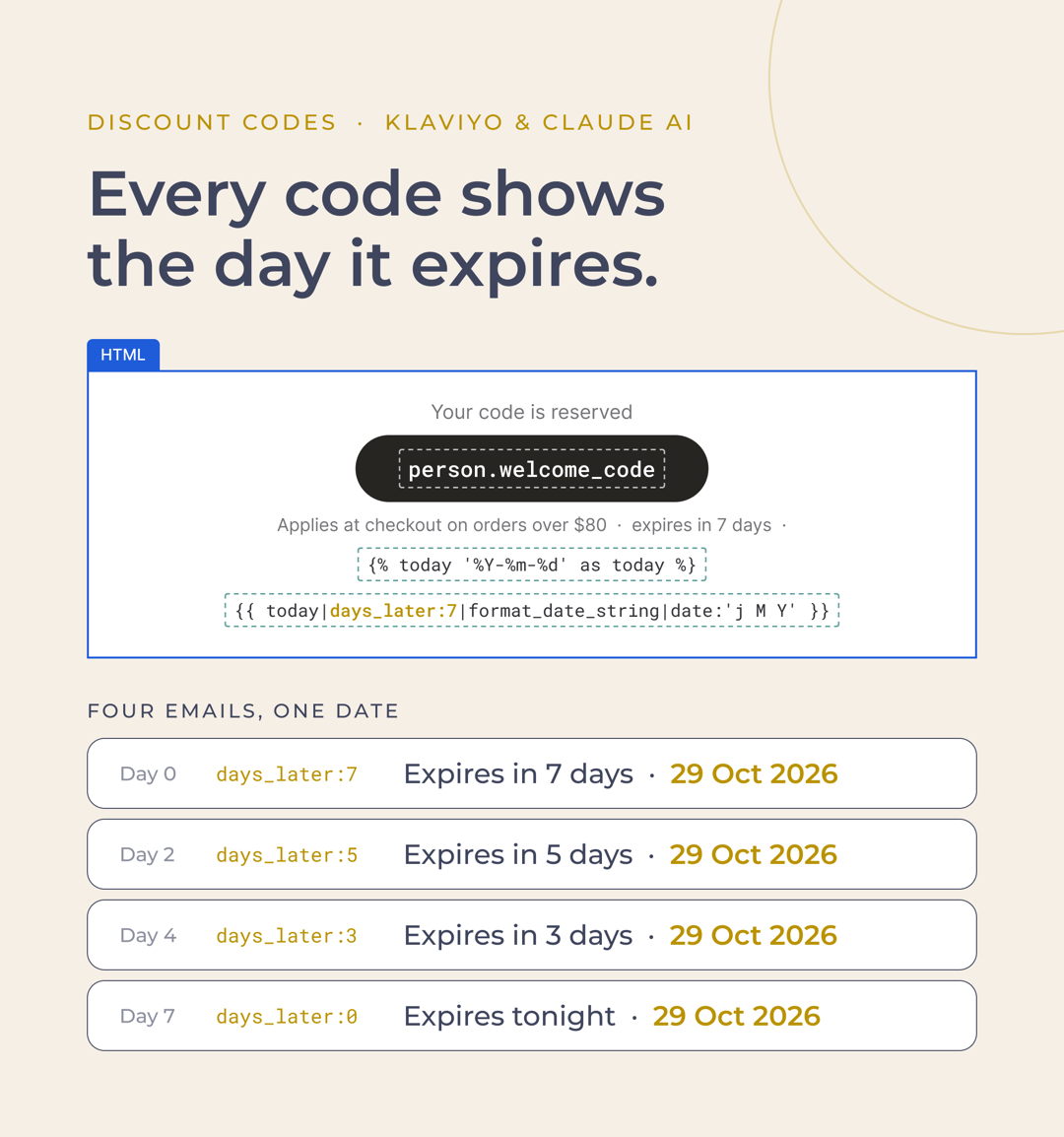
- Code countdowns. Each email says how long the code has left and the exact date it ends, so the urgency builds while the deadline stays put: expires in 7 days, then 5, then 3, then tonight, each next to the same date. Klaviyo works the date out when the email sends, so nobody types it in. Set the coupon’s expiry in Klaviyo to match, so the countdown is true.
- A link back to their checkout. The button uses the checkout URL from the Checkout Started event, so it takes them straight back to their checkout, not the home page.
Here’s the countdown across 4 emails, with the date tags that print the end date:
The minimum-spend logic sits inside the valid-code check from block 2:
{% with total=event|lookup:'$value' %}
{% if total >= 80 %}
  Good news: this order qualifies for your welcome code.
{% elif total >= 40 %}
  Add ${{ 80|floatsub:total|ceil|floatformat:0 }} more to use your welcome code.
{% else %}
  Your welcome code works on orders over $80.
{% endif %}
{% endwith %}
Test every version before it goes live
More versions means more to check. Before a flow goes live, I get a preview of each scenario in my inbox:
- with a valid welcome code, and without one
- under the free shipping threshold, close to it, and over it
- with recommendations, and with an empty feed
- on desktop and on mobile
Two things to know about previews:
- Coupon codes and personalized feeds only show when the preview is sent as a real profile. Use your own test profile.
- Click every link. A link can look right in the editor and still land on the wrong store.
Claude sends me one preview per scenario, so I review the actual emails instead of reading code.
Native blocks or HTML?
You can definitely build all of this with native Klaviyo blocks. Show/hide logic gives each block one condition, so the 3 shipping versions become 3 blocks with 3 rules, and the calculation still needs a line of template code.
I find HTML easier for three reasons:
- One block holds every version. All the conditions sit in one place, so they can’t drift out of sync.
- Calculations and links live right in the copy. “$18 away”, “add $12 more” and rebuilt store links are just part of the text.
- Claude writes it. I don’t hand-code any of this. Claude builds the block, the email and the flow, then sends me the previews.
I still use native blocks for text and simple content, and where a native feature does the loading, like the hidden product block that makes a feed work.
Where to start
Pick one flow and one block. The free shipping block is the easiest place to begin: 3 versions, one calculation, and every cart email gets more useful the day you turn it on. Then add the discount logic, then loyalty and recommendations.
Once the logic is in place, my part is strategy, review and approval. I don’t build emails anymore, yet every email that goes out is customized to the person receiving it.
Lesson 3 of 7 · Klaviyo Flows That Keep Customers
Next lesson: Klaviyo Loyalty Flows: The Tiers, the Points Block, and a Faster Build
Files for this path
- email-design-md : Design system and Claude skills for the emails in these flows