How to Automate Your Weekly Marketing Report
Monday morning, a client call after lunch, and the first half of the day is gone before you have a single thing to say. Last week’s numbers live in Klaviyo, in Shopify, in a couple of other tabs, and pulling them together, campaign revenue, flow revenue, what each send earned, sign-ups, unsubscribes, is the job you do every week before the job you were actually hired for.
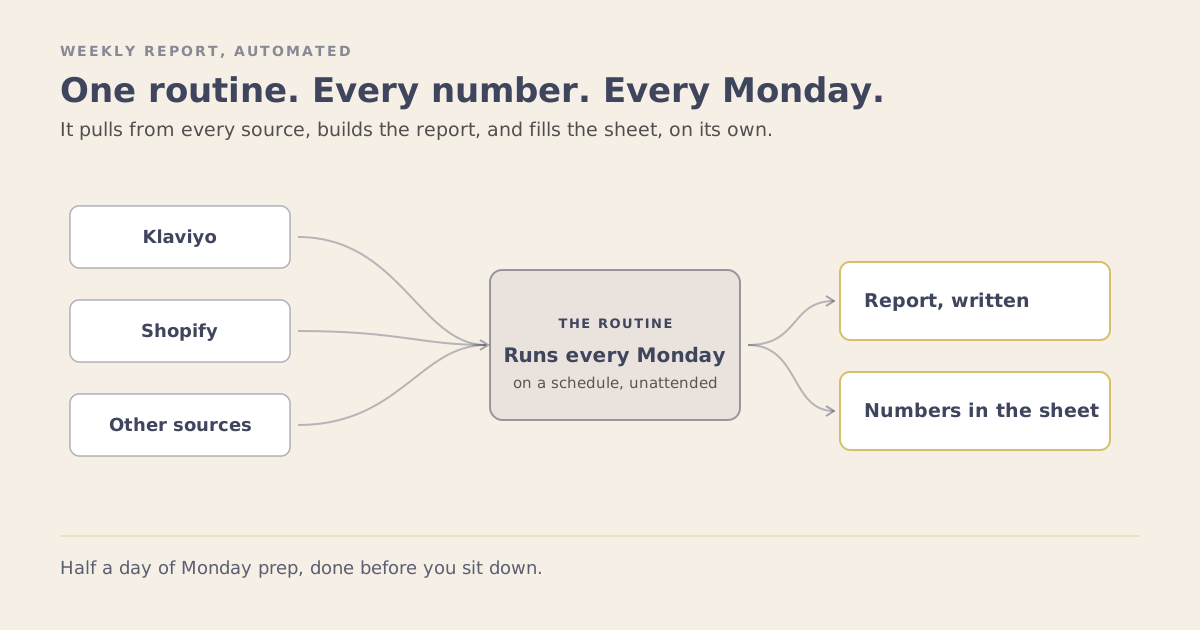
I stopped doing that part. A routine does it now. By the time I sit down on Monday, last week’s numbers are pulled, the report is built, and the figures are already in the tracker the client reads.
A Routine Runs on Its Own
The difference between asking AI for something and having it happen without you is the whole point here. A prompt is you, at your desk, asking. A routine runs on a schedule whether you are there or not. Mine runs early every Monday, so I open my laptop and the work is done, the same way a report would be waiting if you had an assistant who came in before you.
That is what makes this worth building rather than just useful. You set it up once, and it pays you back every single week without you touching it again.
What It Pulls, in One Run
The slow part of reporting was never the thinking. It was the collecting: open one report, read a number, open the next, for an hour. A routine pulls all of it in a single pass.
Here is what mine collects, and none of it is unusual. Any email marketer wants these same numbers:
- From Klaviyo: total email revenue split into campaigns and flows, how much each earned per recipient, what share of email revenue comes from flows, emails delivered, unsubscribes, new sign-ups by day, and every campaign that went out with what it was and whether it carried an offer.
- From Shopify: orders, sales, sessions, and how the discount codes performed that week.
- From the other sources the numbers live in, pulled the same way.
One run, every number, no clicking through dashboards to find them.
It Builds the Report and Fills the Sheet
Collecting the numbers is half of it. The routine also writes them up in the format the reader already uses, their rows, their language, so it lands as an update they recognize rather than a wall of data. Then it enters the figures straight into the tracker spreadsheet, the one the client opens themselves.
Getting numbers into a Google Sheet cleanly is its own small problem, and I wrote up the ways to do it in the piece on Klaviyo and Google Sheets. In a reporting routine, that is simply the last step in a longer job.
What It Gives Back
The plain version: this used to take half my Monday morning, every week, before a call. Now it takes the few minutes I spend reading what it produced. The routine does the collecting and the assembling. I do the part that needed a person, which is deciding what the numbers mean and what to do about them.
There is a second thing it fixed. Most of the time, a client asking how things are going is really asking whether they can see how things are going. The numbers, in their format, in their own sheet, on the same morning every week, answers that before it turns into a worry. Showing up with the report built is its own kind of result, and it is the kind that keeps a retainer.
What You Need
Two things sit underneath all of it.
Somewhere to run code. I build these in Claude Code, the version of Claude that runs on your computer rather than in a chat window, because that is where a script can live and be put on a schedule. You can do plenty of this in the app by talking to it, but a routine that runs on its own wants a home where it can be scheduled, and for me that is code, since that is where most of my work happens now.
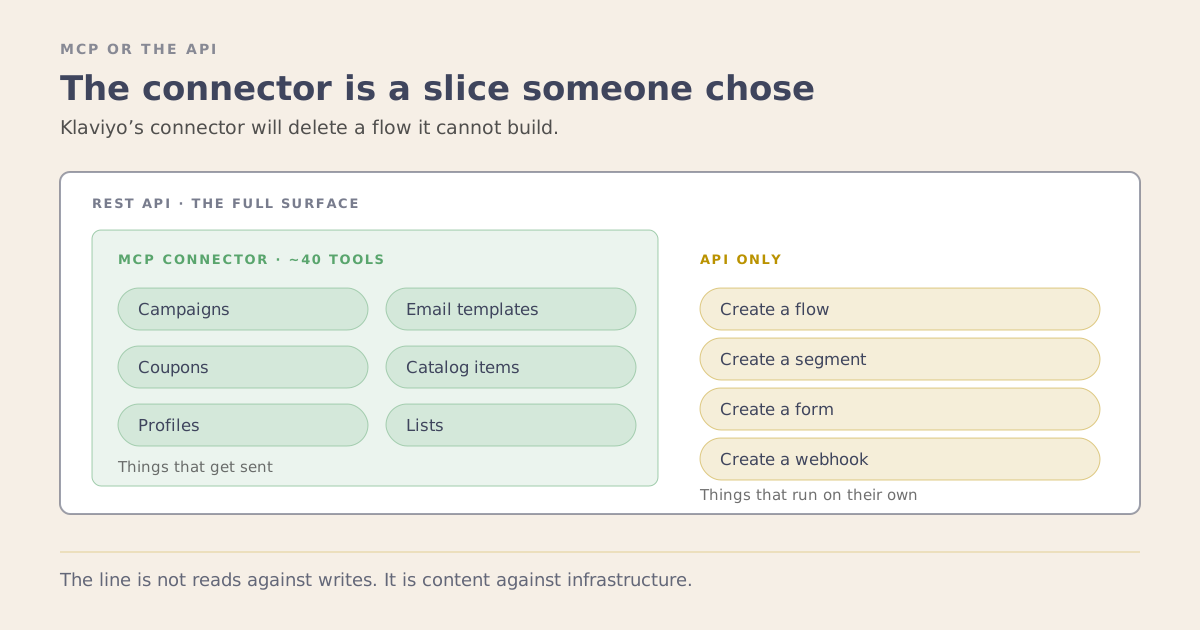
Your sources connected. The pull reads from Klaviyo and Shopify, so it needs access to both. The MCP connectors are the easy way in: switch them on and Claude can read the account directly while you build.
Which raises a fair question: is this the connector, or the developer API underneath it? It uses both, and working out which piece belongs to which is the whole subject of MCP or the API. I lean on the connector while I am building and testing, with me right there to watch it. The heavier scheduled pull runs from a script with its own key so it can run on its own before I am awake, while the lighter reads still come through the connector even then. Each has a place, and the routine uses whichever fits the job.
How to Set One Up
It comes down to a few steps, and the first one is the most important and the least technical.
- Decide the exact numbers first. Open the report you already send and list every figure in it. That list is your spec. A reporting routine is only as good as the report it feeds, so start from the rows you fill by hand today, not from whatever the tools could theoretically produce.
- Build the pull once. This is a single script that collects those figures from each platform in one run. You can build it with Claude: connect it to your Klaviyo and Shopify accounts, tell it which numbers you want and for which week, and have it write the pull against your own data. Test it against a week you have already done by hand, and keep correcting until every number matches. That check is what earns your trust in it later.
- Give it the report’s shape. Hand it the format the reader uses, the same headings and the same order, so what comes back is ready to drop in rather than rearranged. Once that holds, add the step that writes the figures into the sheet.
- Put it on a schedule. Set it to run on its own, early on the morning you need it. This is the step that turns a script you have to remember to run into a routine that is simply done by the time you sit down.
You do not need all four on day one. The pull alone, run by hand, already takes the worst of the morning off your plate. Add the shape next and the sheet last. Building one connected job a piece at a time is the same reason an AI workflow beats a pile of AI tools: it is one thing that runs, not ten clever prompts you still have to run yourself.
If you want a look at what a reporting routine would pull for your accounts, and what it would give you back every week, book a strategy session.