Klaviyo and Google Ads: How to Set It Up, and What It Won't Do
The Klaviyo and Google Ads integration syncs your Klaviyo segments into Google Customer Match audiences in real time. Setup takes about ten minutes.
Whether it works for you comes down to one thing almost no guide mentions: if you manage the Google Ads account through a manager account, it will not connect.
That single constraint rules out a large share of the people searching for this, because managing client accounts through a manager account is how agencies are structured. Every walkthrough on the first page of results covers the happy path. This one covers what happens when you are not on it.
What the Integration Actually Does
Klaviyo takes a list or segment and pushes it into a Google Customer Match audience. Contact details are hashed before they leave Klaviyo, and Google matches those hashes against signed-in users across Search, the Shopping tab, Gmail, YouTube, and Display. Anything that does not match is discarded.
The sync from Klaviyo runs in real time, so as profiles enter and leave a segment, the audience follows. Google’s side is slower. It can take up to 48 hours to process what Klaviyo sends, and up to 48 hours to populate a new audience for the first time.
That lag matters more than it sounds. If your plan depends on someone entering a segment today and seeing a different ad tomorrow, build for a two-day delay rather than an instant one.
The Setup
Current as of the Klaviyo interface today. The steps have changed since this post was first published in 2023.
- Go to Integrations, then Explore apps, and search for Google Ads
- Click Install, then Connect to Google
- Log in with an account that has direct admin access to the Google Ads account
- Grant the requested permissions
- Select your Google Ads account from the dropdown
- Declare whether you market to audiences in the EEA or UK
- Create your connections between Klaviyo lists or segments and Google Audiences, then click Complete setup
Step 3 is where most people stop, and it deserves its own section.
The Four Limits That Catch People Out
1. Manager accounts are not supported
The connection needs direct admin access to the Google Ads account. Manager accounts, the structure agencies use to hold client accounts under one login, are not supported.
If you run client accounts this way, you cannot connect from your own login. Someone with direct admin access on the individual account has to do it, which usually means the client, which means a conversation about permissions before you can touch anything.
Worth finding out before you promise it in a scope of work.
2. Connections are one to one
You cannot map one Klaviyo segment to several Google audiences, and you cannot point several Klaviyo segments at the same Google audience.
This shapes how you plan. If you want the same group of customers available for three different campaign structures, you need three separate Klaviyo segments feeding three separate audiences, and you maintain all of them. Decide the mapping before you build the segments, not after.
3. One hundred members, and a 540-day clock
Google requires a Customer Match list to have at least 100 members added or updated within the last 540 days to stay eligible for targeting. Membership itself also expires: any profile added or refreshed more than 540 days ago drops off.
The good news is that a live Klaviyo segment largely handles this for you, because real-time sync keeps refreshing membership. The risk sits with static lists and with narrow segments that drift under 100 matched members without anyone noticing. A segment can look healthy in Klaviyo and be ineligible in Google.
4. Your match rate is not your segment size
Only profiles associated with a Google account show up in the audience. A 5,000-person segment does not become a 5,000-person audience, and the gap is invisible from the Klaviyo side.
Check the audience size in Google Ads after the first sync completes rather than assuming the number you started with.
What to Actually Sync
This is where most implementations waste the integration.
The default instinct is to sync all subscribers, which produces one large undifferentiated audience and treats a paid channel like a bigger version of your email list. It works, in the sense that ads get served. It just does not do anything your existing targeting was not already doing.
The integration earns its place when you sync segments that mean something in lifecycle terms:
- Exclusion audiences. Suppress recent purchasers from prospecting campaigns. This is usually the fastest saving available and the one people skip, because it shows up as spend you stop wasting rather than revenue you start earning.
- Lapsing high-value customers. Someone who bought three times and has gone quiet needs a different message from someone who has never bought. Paid is one of the few places you can reach them once they stop opening email.
- Win-back cohorts, matched to the point in the repurchase cycle where they actually stalled rather than a generic 90-day window.
- Lookalike seeds built from your best cohort, not from all buyers. A lookalike is only as good as the seed, and “everyone who ever purchased” is a weak seed when a fraction of those customers carry most of the lifetime value.
The distinction underneath all of these is the same one that separates email marketing from retention marketing. Email marketing optimizes a channel. Retention marketing optimizes a customer, and the customer does not care which channel reached them.
Syncing segments to Google Ads is only useful if the segments encode something real about where each customer sits in their lifecycle. If they do not, you have connected two tools and changed nothing.
Where the Segments Actually Come From
Every recommendation above assumes you know things about the account that most people never check.
Where does repurchase actually stall for this brand? A 90-day win-back window is a convention, not a finding. Some categories stall at six weeks and some at nine months, and using the wrong number means your win-back audience is full of people who were never going to come back and missing the ones who were.
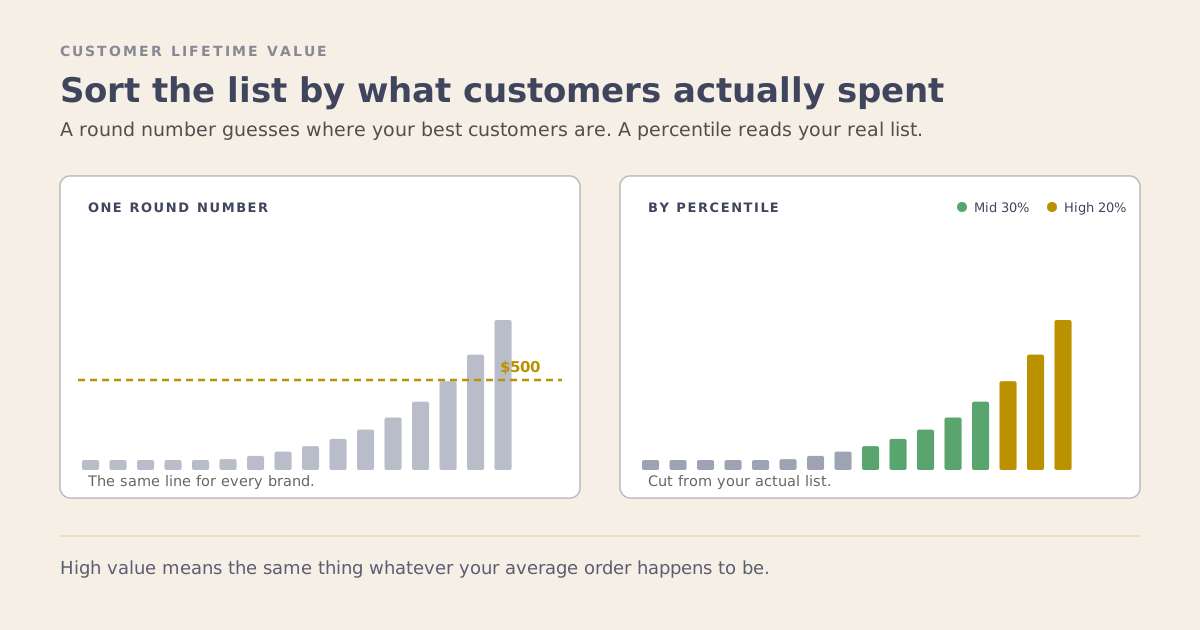
Which customers belong in the lookalike seed? “Everyone who purchased” is the default because it is the easy query, and it is a weak seed when a small fraction of buyers carry most of the lifetime value.
These are answerable questions. They are just tedious enough that nobody answers them, so the generic segment ships instead.
This is where connecting Klaviyo to an AI layer changes the work rather than decorating it. With the account connected through MCP, you can interrogate it directly: pull the actual repurchase interval distribution and find where the drop-off sits, rank customers by realized lifetime value and cut the seed there, check what share of a segment has ever engaged with anything before you spend money reaching them again. The segment definition comes out of the data instead of out of habit.
Then there is the maintenance problem this post already described. The 100-member threshold and the 540-day clock are invisible from the Klaviyo side, and a segment can look healthy while being ineligible in Google. Nobody remembers to check that manually, which means eventually nobody does.
That is the difference between using AI and having an AI workflow. Asking a model to suggest segment ideas is the chatbot phase. Having it read the account, define the segment from what is actually there, and check on a schedule whether the audience is still eligible is the workflow phase. The first one saves you ten minutes. The second one is the reason the integration keeps working six months after you set it up.
Before You Build It
Three things to confirm, in this order, because each one can end the project:
- Access. Is the Google Ads account managed through a manager account? If yes, resolve that first.
- Size. Will each segment you plan to sync clear 100 matched members, not 100 profiles?
- Purpose. Can you say what each audience is for, in one sentence, in lifecycle terms? If the answer is “retargeting,” the segment is not specific enough yet.
- Maintenance. Who checks in six months that these audiences are still eligible, and how do they find out? If the answer is nobody, the integration will stop working and no one will notice, since nothing reports it.
The integration is genuinely useful. It is just useful in proportion to how much thinking went into the segments before you connected anything.
If you want a second pair of eyes on how your segments map to paid, book a strategy session.