Claude Email Design: The Free Skills and Figma Setup I Use

You ask Claude for an email and it comes back close to your brand. The green is a shade off. The small label above the headline is too faint to read. The buttons look right in Figma, then shift when someone rebuilds the email in Klaviyo.
Claude can design on-brand emails. Reliable Claude email design comes down to three things: your brand written down for email, a Figma file built from your own blocks, and a second Claude session that reviews each email blind before anyone builds it.
I looked for those on GitHub and found almost nothing for email, so I built them and put them there for free: a brand file template called EMAIL.md, a Figma setup checklist, the Claude skills that design and review each email, and a full example brand with 4 finished emails. Here’s what’s in it and what happened when I tested it.
What GitHub Is, and Why Marketers Should Open It
GitHub is where people share their work so others can reuse it: code, templates, design files, whole setups. You start from what someone already built.
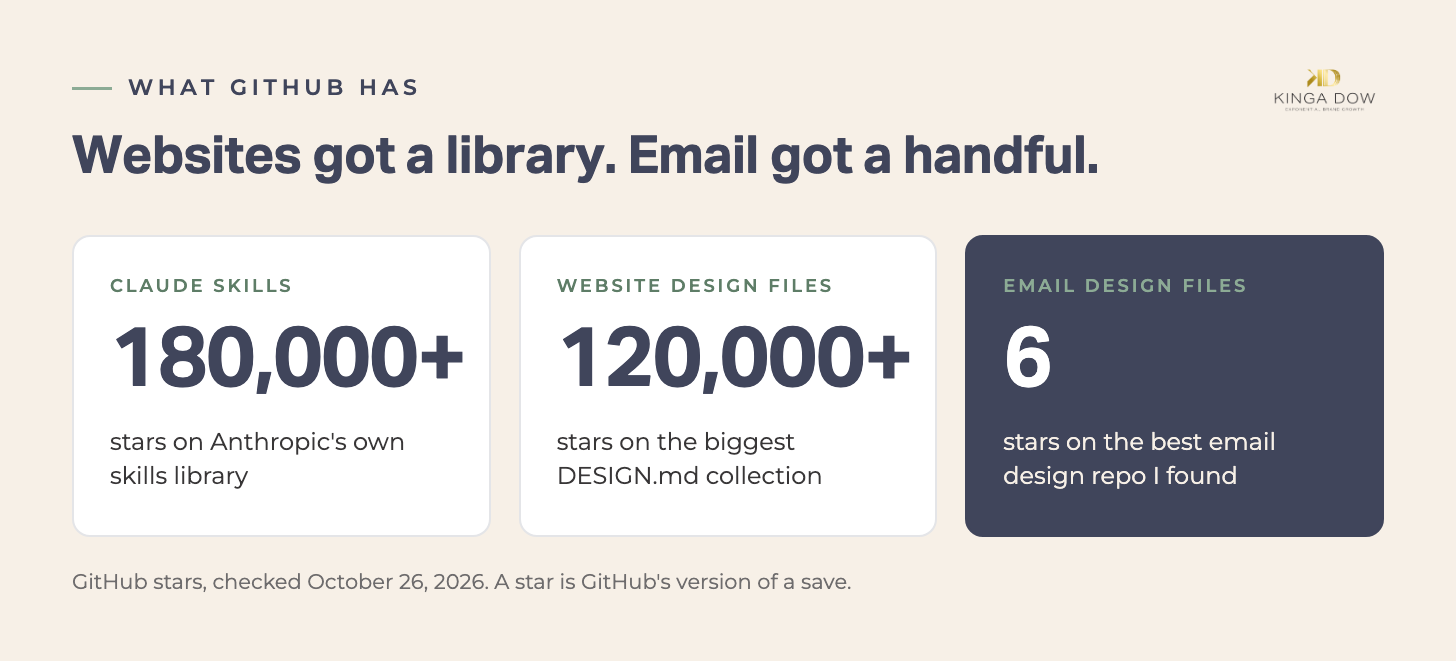
Most marketers have never needed to open it. If you run an agency or a brand, that’s changing. GitHub is where the tools for working with AI are being shared: Claude skills, design systems, whole agent setups. Anthropic’s own skills library there has more than 180,000 stars, which is GitHub’s version of a save.
In October I was working through a 30-day AI challenge, and one lesson pointed to GitHub for design inspiration. I typed “e-commerce email design” into the search bar and started scrolling. Here’s what came up:
- E-commerce email templates: a few small personal projects
- Klaviyo templates: much the same
- Design files for websites: thousands. The biggest collection has more than 120,000 stars.
- Design files for email: almost nothing. The best one I found had 6.
That’s when I realized there were no guidelines for designing emails with AI: how to set up Figma, which Claude skills to use, how to check an email before it goes to Klaviyo. So I wrote them.
DESIGN.md for Email: The Brand File Claude Reads First
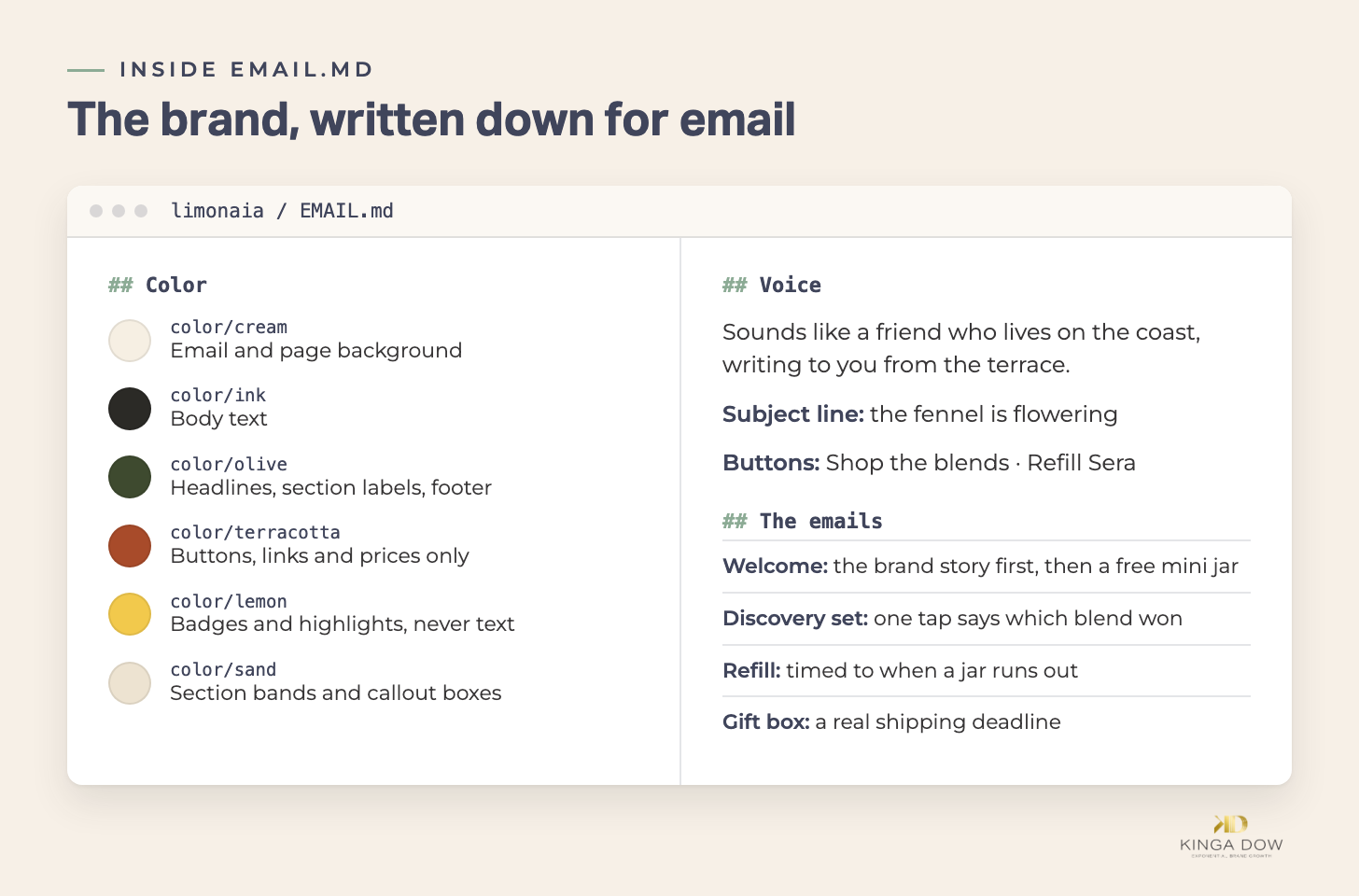
The website files are called DESIGN.md. Each one is a short text file that describes a brand the way an AI needs it: the colors and what each one is for, the fonts and sizes, the buttons and cards, the spacing, the voice. Claude reads it first and builds pages that match.
Email has its own rules. An email is 600 pixels wide and has to work on a phone. Some email apps block web fonts, so every font needs a fallback. Every block has to rebuild cleanly in Klaviyo. And each email has a job in the program, from the welcome to the refill reminder to the holiday send.
EMAIL.md is the email version. You fill it in once: which color pairs pass contrast, an email type scale, the blocks, layout rules, photography, voice, and what each email is for. Claude reads it before it designs anything. When the rules live in a file, Claude follows them. When they live in your head, you get emails that are close to your brand and a shade off.
How to Set Up Figma for Claude Email Design
The brand file tells Claude the rules. The Figma file makes them the easy option. SETUP.md is the checklist of what needs to exist in Figma before Claude designs anything:
- A brand kit page, so people can see the rules too
- The brand colors saved as variables, each with a note on its job, like “buttons, links and prices only”
- An email type scale, smaller than the website’s
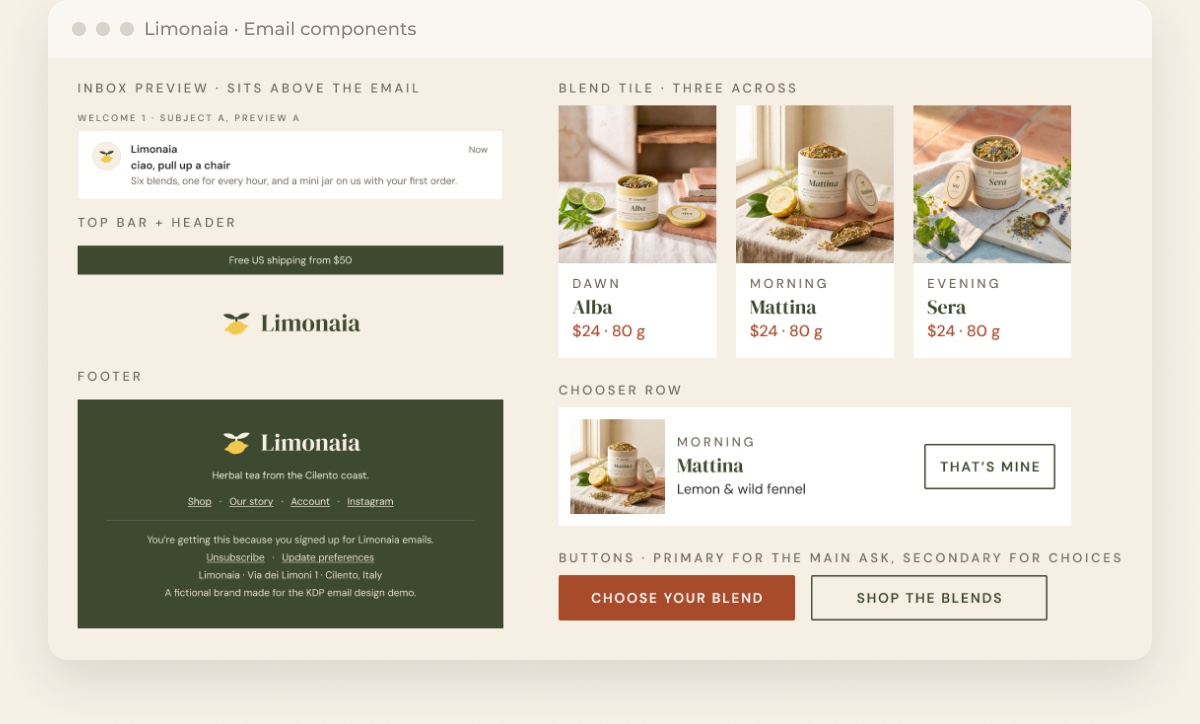
- Components for everything an email repeats: the header, the footer, product tiles, a chooser row, buttons
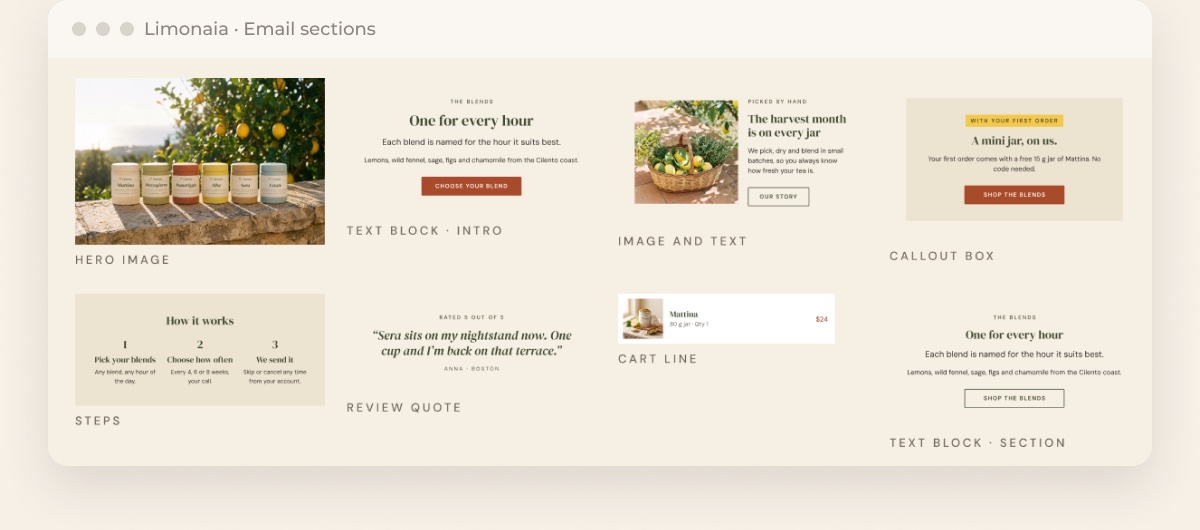
- Sections an email is assembled from: hero image, text block, image and text, callout box, steps, review quote, cart line
Claude builds an email by placing your components and changing the words, so every email starts on-brand. When one button in the example brand came out a little taller than the other, I fixed it once in the component and all 4 emails changed with it.
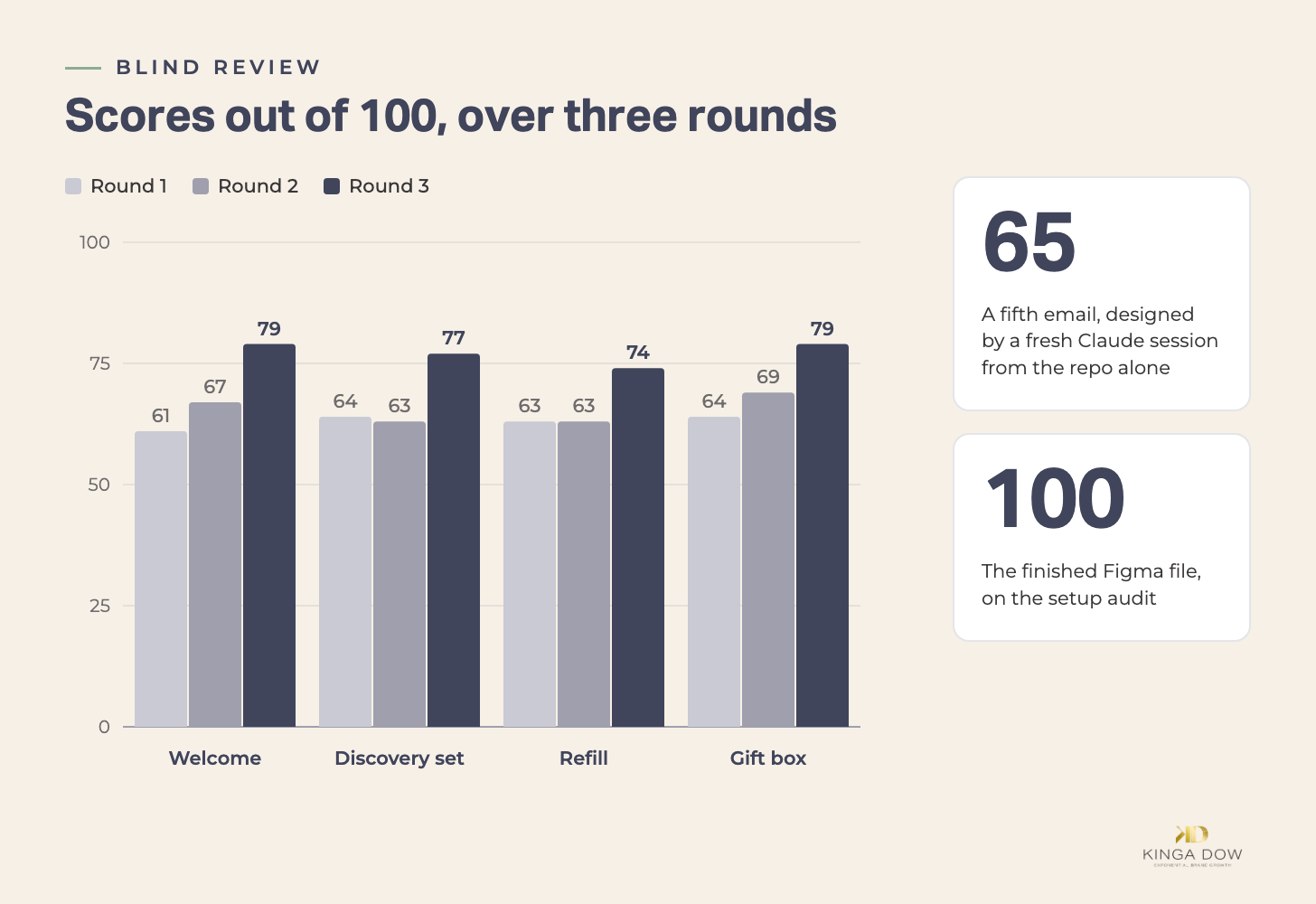
The kit includes an audit that checks all of this for you. It reads your Figma file, scores it out of 100 against the checklist, and lists what to build next. The finished example file scores 100. A retention marketer for e-commerce brands ran it on their own file and put it like this:
“The audit confirmed where the groundwork for AI in the design step lies, a proper component library, and it gave us a clear order to build it in.”
The Claude Skills That Design and Review Each Email
A skill is a set of instructions Claude loads for one job. The kit has 4:
- email-design is the designer. It turns a brief into a finished 600 px email in Figma, built from your components, with the mobile version and a campaign brief beside it.
- email-design-review is the critic. A separate Claude session that never saw the build scores the email against your brand file and lists every fix.
- email-remix takes an email you admire, keeps only its layout, and rebuilds it in your brand.
- figma-email-readiness is the audit from the section above.
The review runs blind for a reason. On a real build, Claude grading its own work gave it 75. A blind panel gave the same email 52.
I tested the whole kit on a tea brand I made up, Limonaia. The first blind review scored its 4 emails 61, 64, 63 and 64 out of 100. It caught a small label too faint to read, a wrong price on one blend, a summer-only tea in a welcome email that sends all year, and buttons squeezed right under the text. Most fixes happened once, in a component. After 2 more rounds of fixes and fresh reviewers, the emails scored 79, 77, 74 and 79.
Can Claude Design an Email From the Repo Alone?
That was the test I cared about most. A fresh Claude session got only the repo and a brief for a fifth email.
The blind review scored it 65 and failed it on one claim: the copy promised this year’s harvest, and the jar in the product photo was labeled with last year’s.
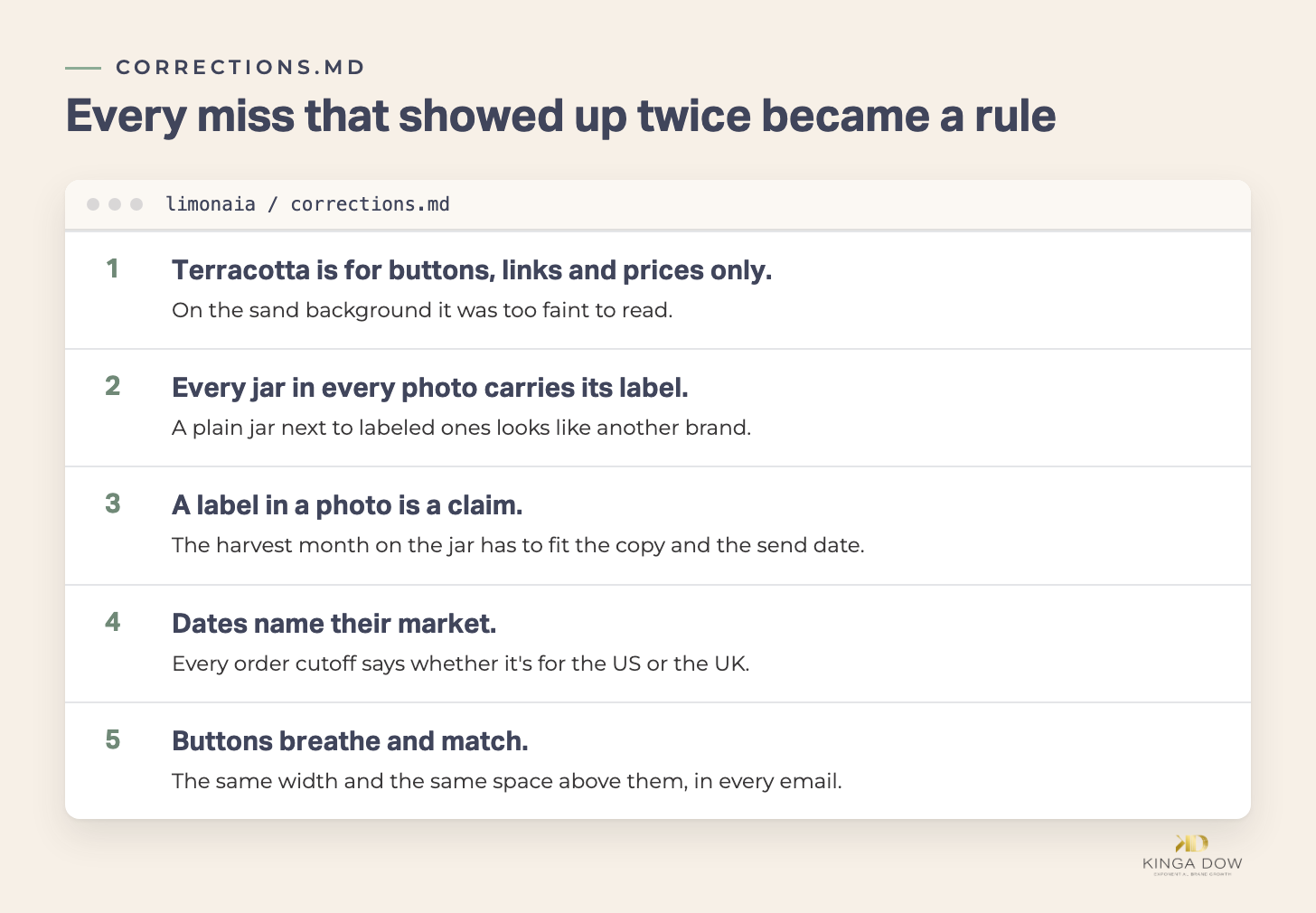
Claude starts every session fresh, so the lessons have to live in a file. Every miss that shows up in 2 emails becomes a rule in corrections.md, and the designer and the reviewer both read it first. This one became rule 3: anything printed on a product in a photo is a claim, so it has to match the copy.
Does It Work With Klaviyo Composer?
Yes. Composer is Klaviyo’s AI marketing agent, and it drafts emails inside your account (I tested its flow audit here). The kit reaches it through three inputs:
- The brand library. EMAIL.md’s colors, fonts, primary button and voice go into Klaviyo’s brand settings.
- A Composer skill. The rest of the rules, from layout to photography to what each email is for, go into a skill you paste in.
- The Figma connector. Klaviyo says Composer “reads published Figma components and library styles through Figma’s MCP server,” the connection that lets an AI read a Figma file. That’s the same setup SETUP.md walks you through.
I ran it on Limonaia in a sandbox account. With the brand library and the skill, Composer got the colors, the voice and the offer right, and generated its own product photos. With the Figma file connected, it used the real labeled jar photos from the file instead, and its draft scored 61 on the same blind review as my own emails.
That’s the range my own first drafts started in, and it needed the same kind of human pass: fonts, spacing and one photo choice. Connect the Figma file before you prompt. It’s where Composer finds your real photos.
How to Start
- Look at the Limonaia example first. It shows every file filled in.
- Copy EMAIL.md and fill it in for your brand.
- Run the audit on your Figma file and fix what it lists.
- Let Claude design, then run the blind review before anything goes to Klaviyo.
You’ll need Claude Code or another agent that loads skills, plus Figma’s connector with write access so Claude can build in your file.
The kit is free at github.com/kingadow/email-design-md, under the MIT license. Star it, send me your GitHub username on LinkedIn, and I’ll send you the editable Limonaia Figma file: the brand kit, every component, and all 4 emails with their briefs.
The kit covers the design step. Around it sit the decisions about which emails to send, to whom and when, the build in Klaviyo, and whether the emails make money. That’s the work I do with brands.
If you want your Figma file and your email program set up to work this way, book a strategy session.
Lesson 2 of 8 · Building in Klaviyo
Next lesson: Klaviyo MCP Server: What It Does, and When to Use the API
Files for this path
- email-design-md : Figma setup, brand file and design skills